|
|
 |
|
TITLE
Defining and Using a New Currency
|
|
|
TOPIC
Q: I just installed the software. How do I add a new currency?
|
|
|
DISCUSSION
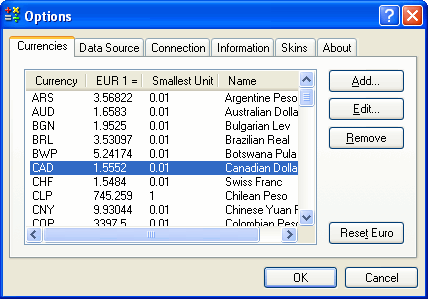
A: Unless it connects to a data source providing exchange rates, or it is manually configured, the software initially only "knows" the cross-rates of the euro currencies, which are constant and therefore can be hard-coded. This means that certain currencies may appear to be "missing" from the menu listing them. To automatically add new currencies make sure that the network settings are configured and select Update Now to manually download new currency data, or program the Auto-update option to automatically retrieve currency information as necessary. | Please refer to the User Guide for more complete instructions for the various currency configuration and update options.
|
|
| Article Information |
|
|
| Article ID: |
13-126 |
| Platform: |
Windows |
| Products: |
WorldCalc, Euro Calculator |
| Additional Keywords: |
None |
| Last Update: |
2008-10-25 |
|
|
| Your
feedback is always
appreciated. It is safe to link to this page. |
|
|
|
|